
Bills Wallet
Bills Wallet
Access Bills Wallet
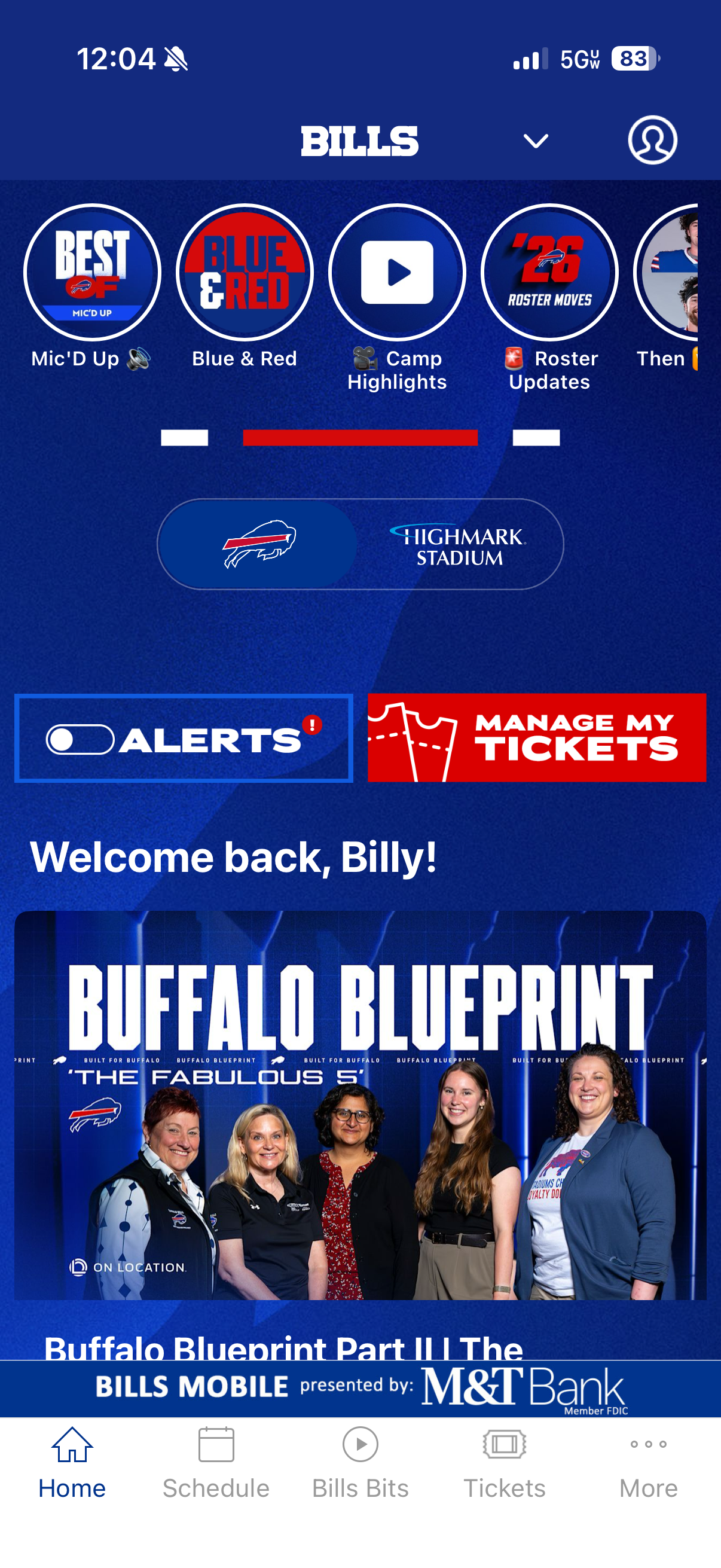
Step 1
Download and open the Buffalo Bills Mobile App.
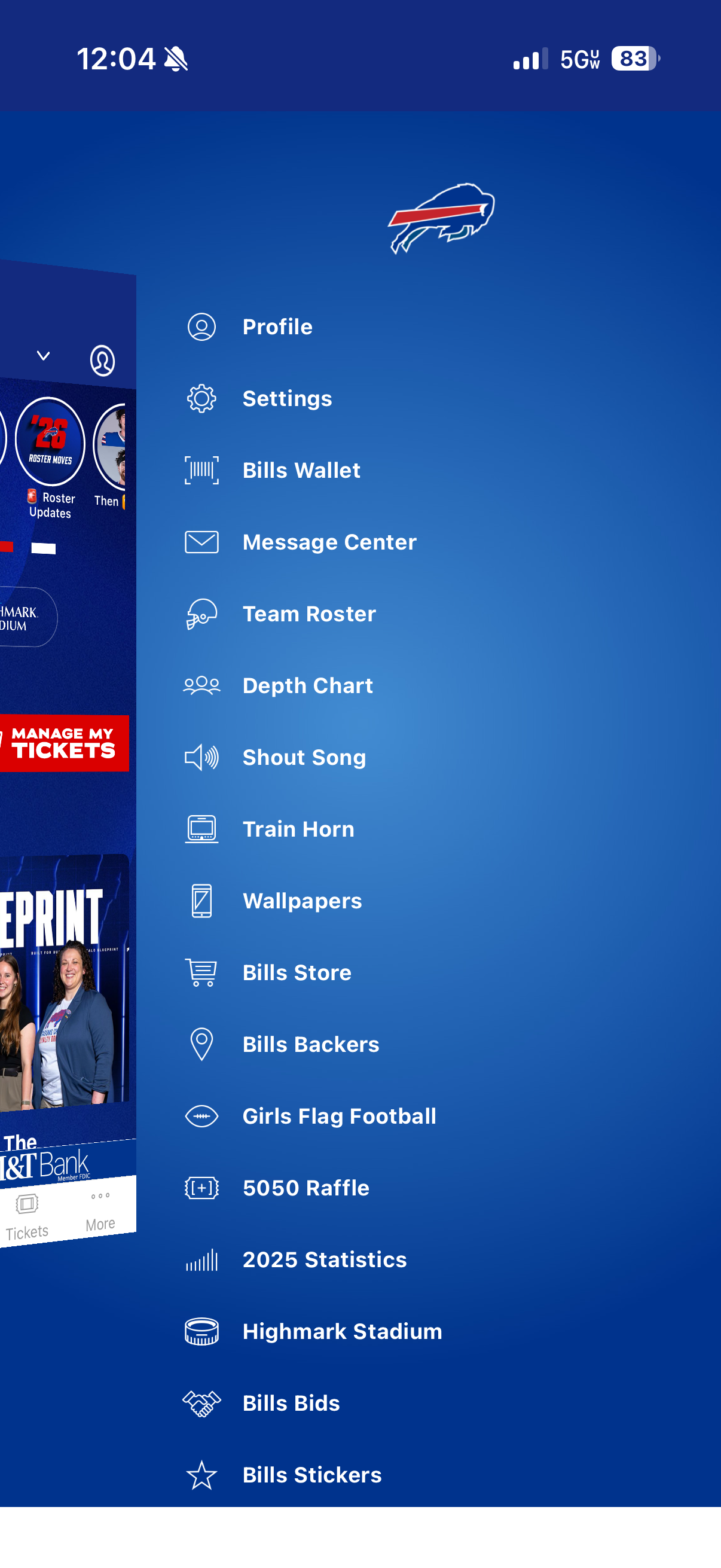
Step 2
Click "More" in the navigation bar at the bottom right of the screen, then click "Bills Wallet" in the side menu.
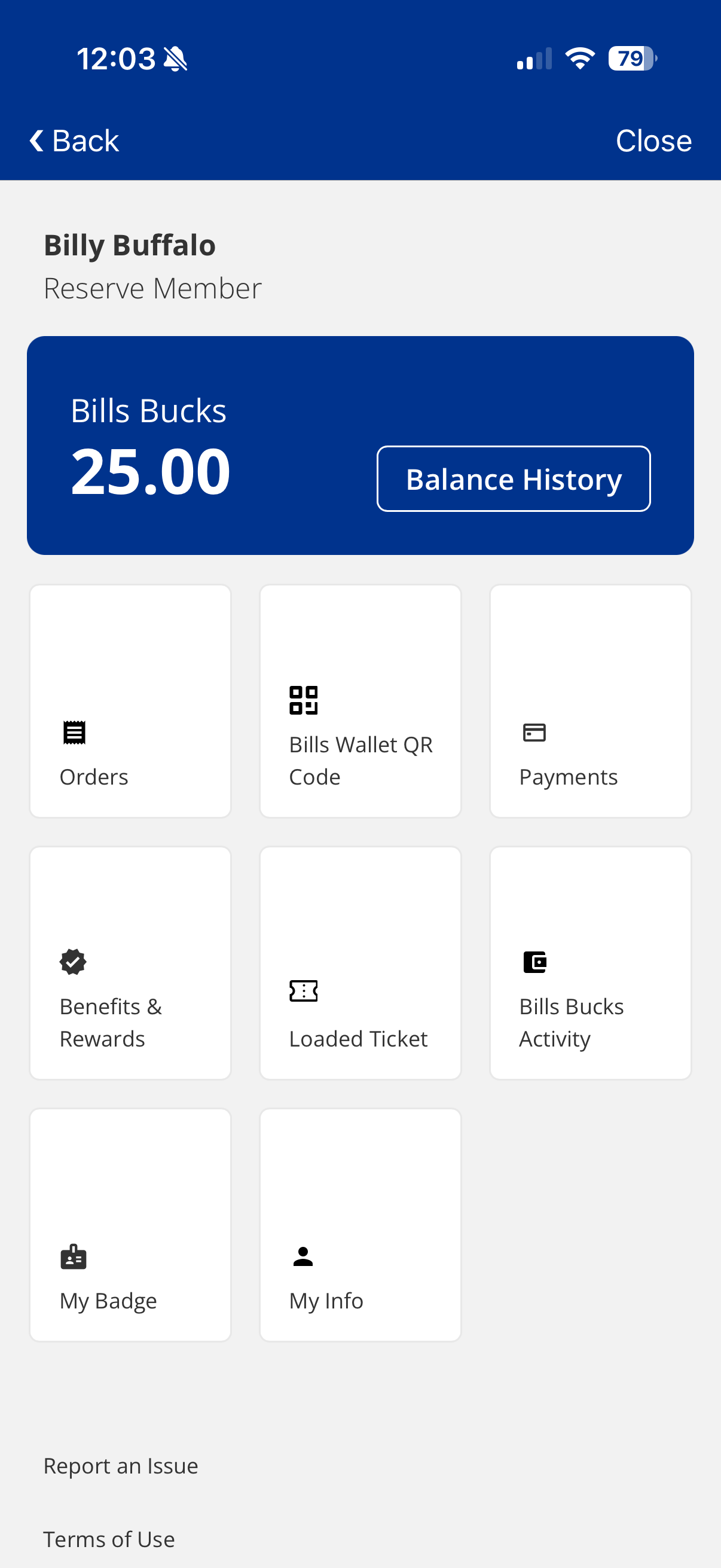
Step 3
Explore your benefits, connect your card and more!
Add a Credit or Debit Card
Step 1
Click "Payments".
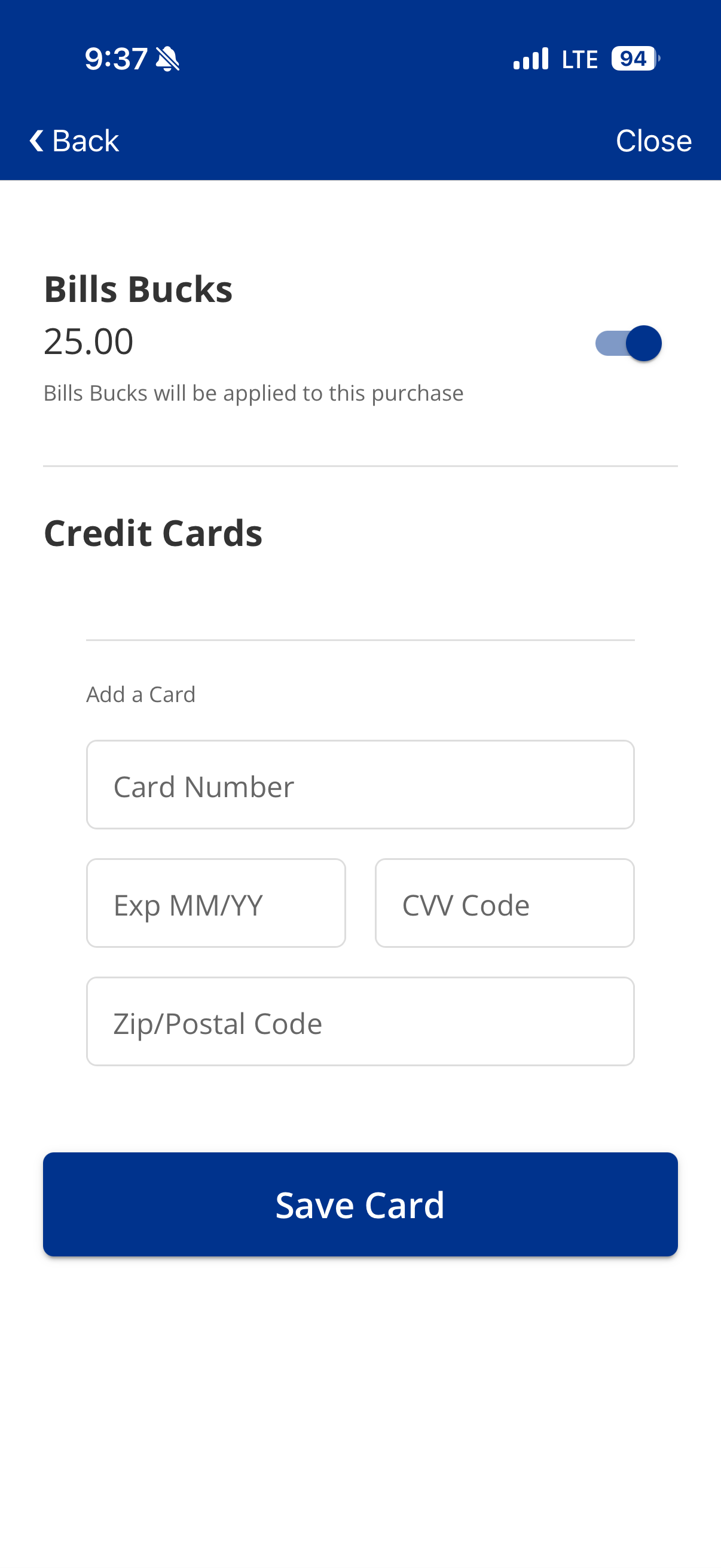
Step 2
Add your credit or debit card information in the proper fields.
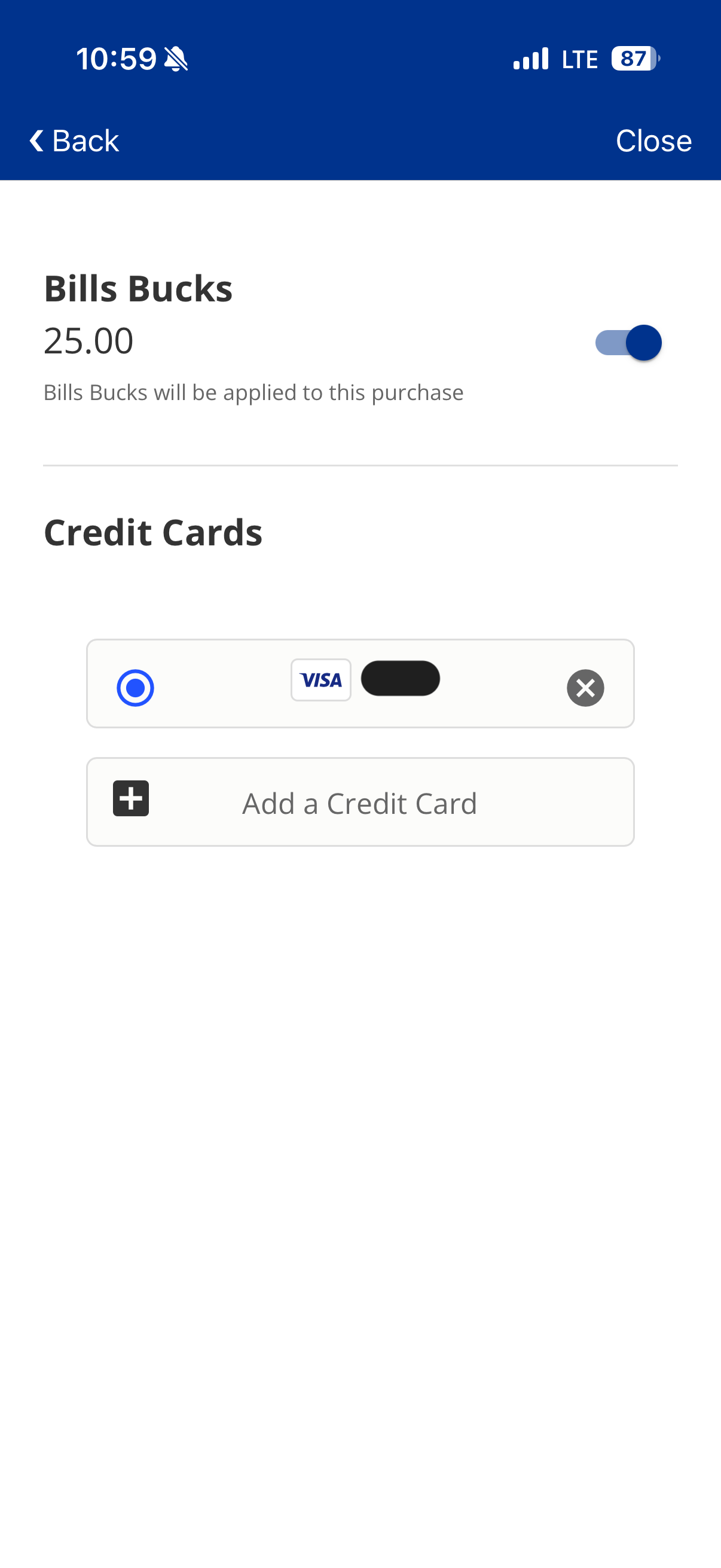
Step 3
The card information will show after entering. Follow the same steps if adding another credit or debit card to the Bills Wallet.
Scan Bills Wallet QR Code
Step 1
Click "Bills Wallet QR Code".
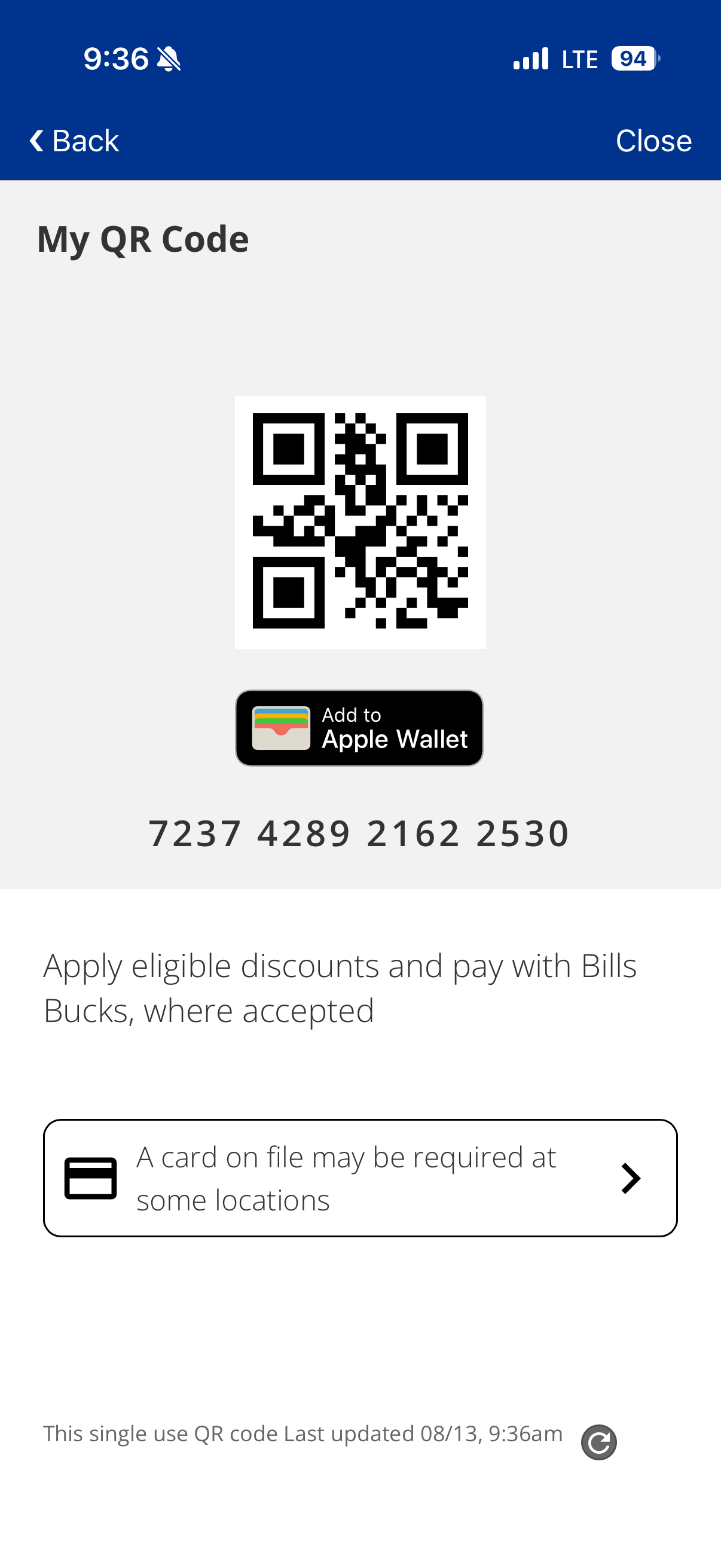
Step 2
Show to cashier or scan to use Bills Wallet.
Add to Apple/Google Wallet
Step 1
Click "Bills Wallet QR Code".
Step 2
Add to Apple OR Google Wallet.
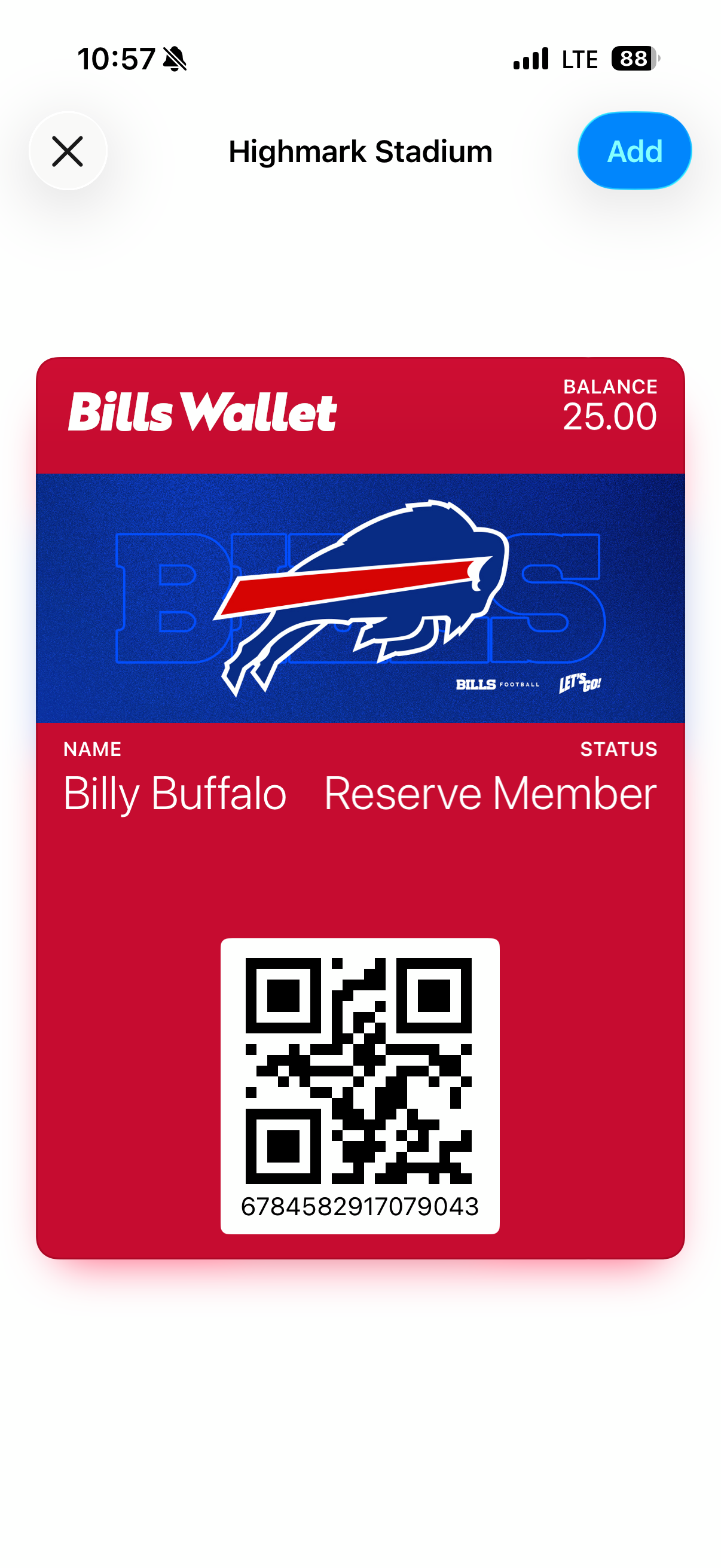
Step 3
Click "Add" in the top right corner.
Bills Bucks Activity
Step 1
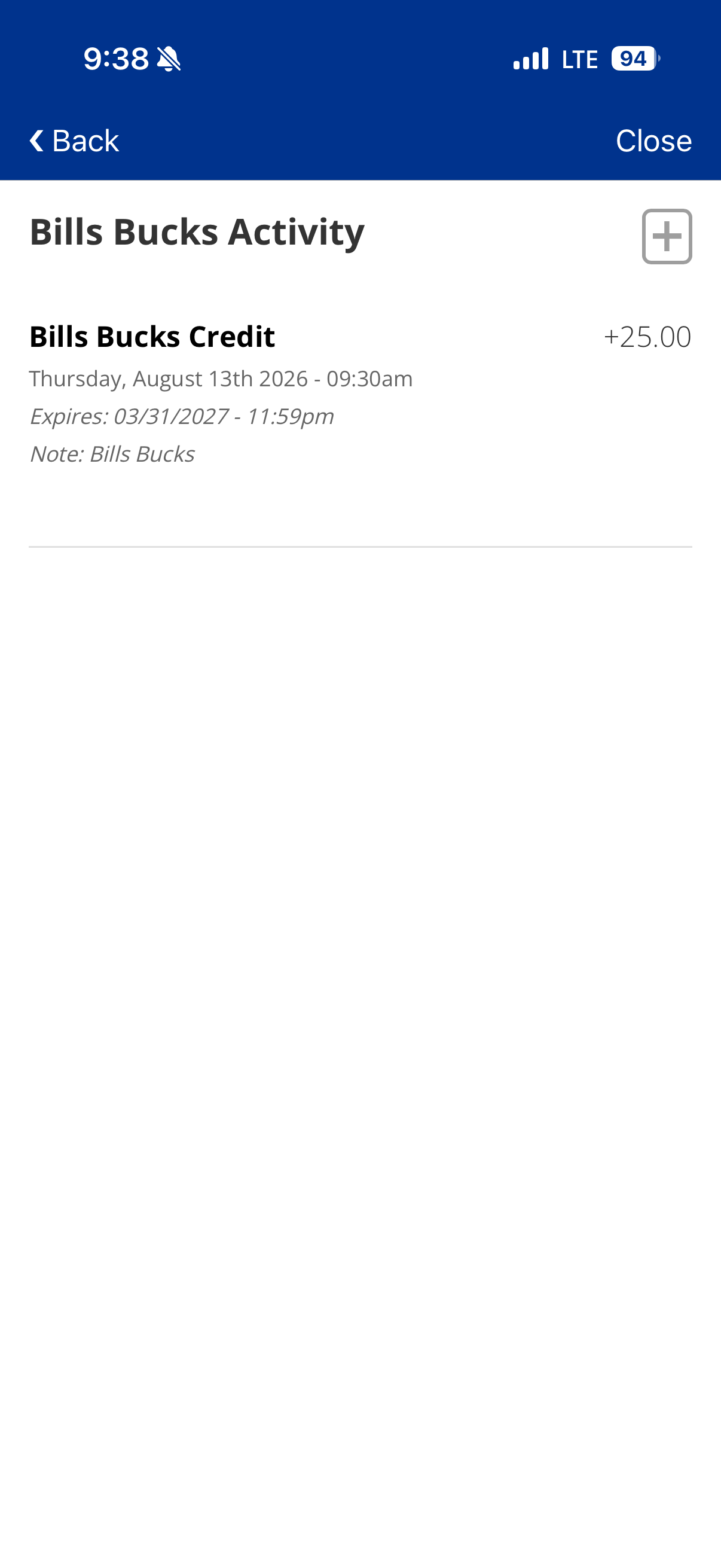
Click "Bills Bucks Activity".
Step 2
View your Bills Bucks activity and manage your balance.
Benefits & Rewards
Step 1
Click "Benefits".
Step 2
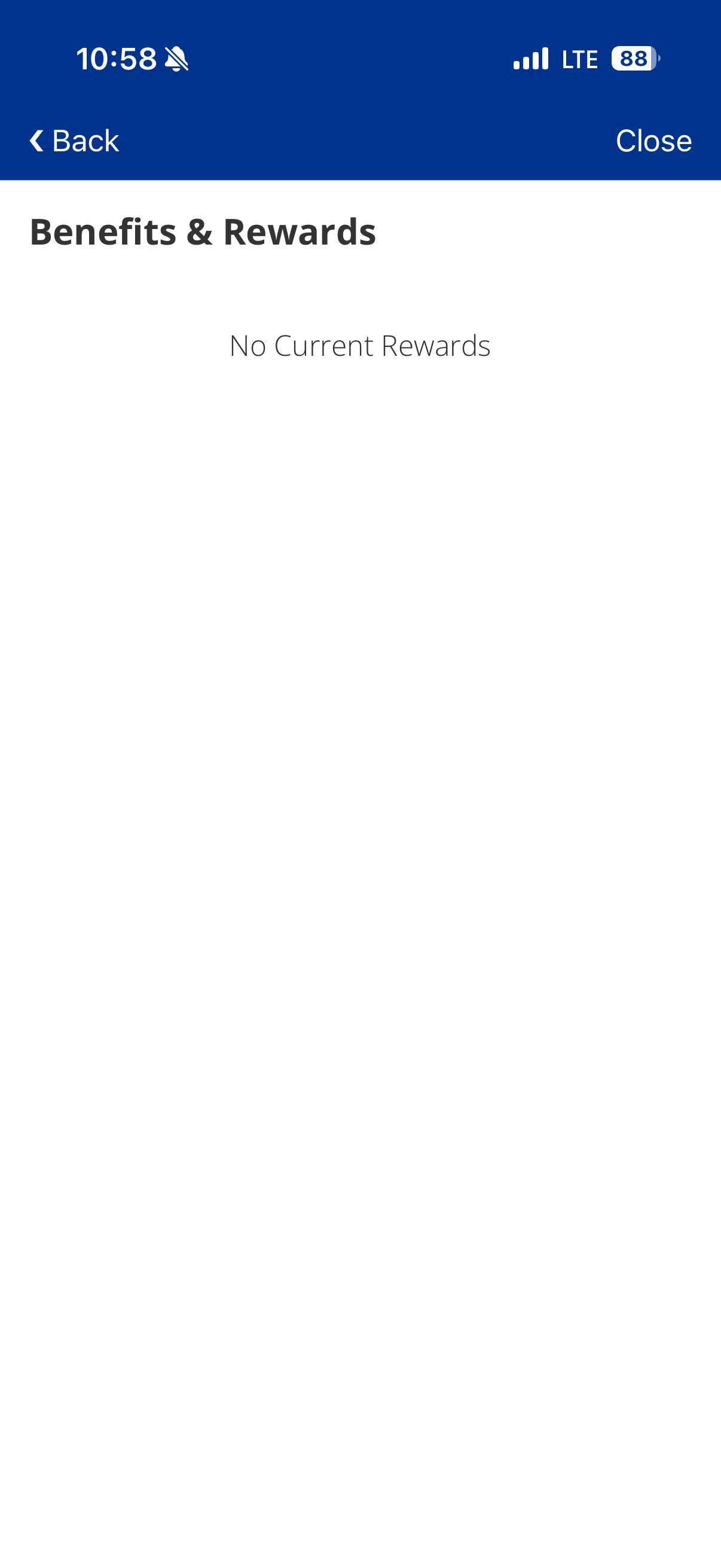
View and manage your benefits and rewards.
Step 3
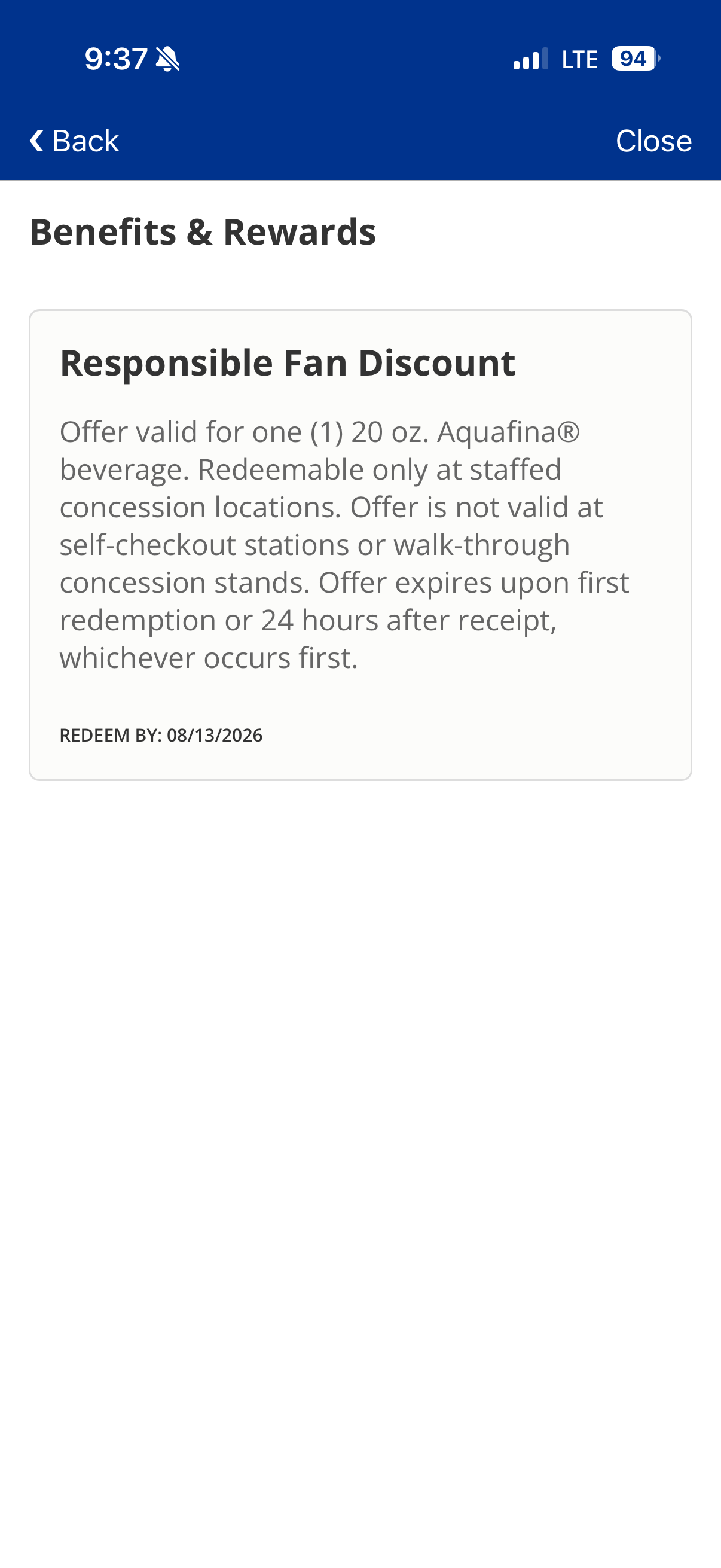
Your benefits and rewards will populate here as they get added to your account.
In-Seat Loge Orders
Step 1
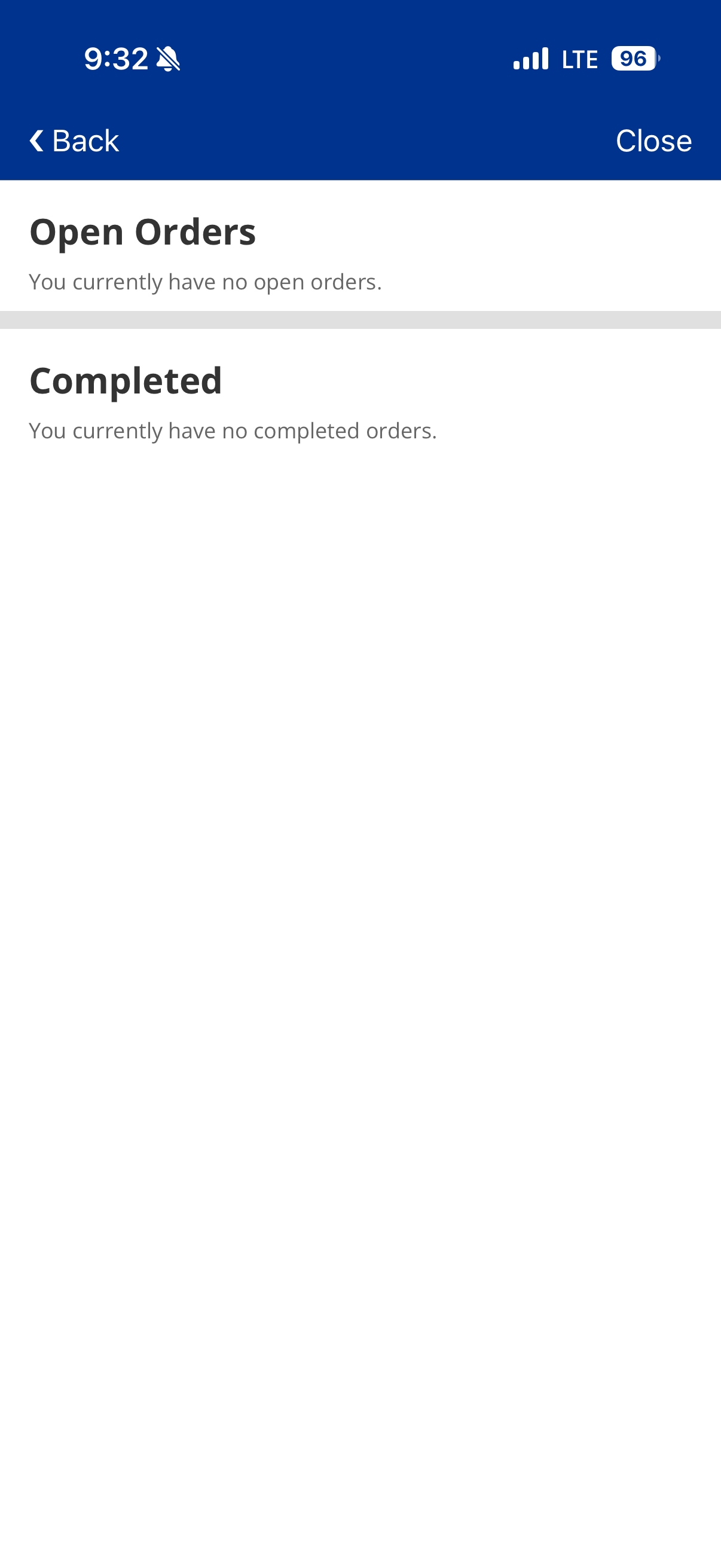
Click "Orders".
Step 2
View and manage your open and completed orders.
Loaded Tickets
Step 1
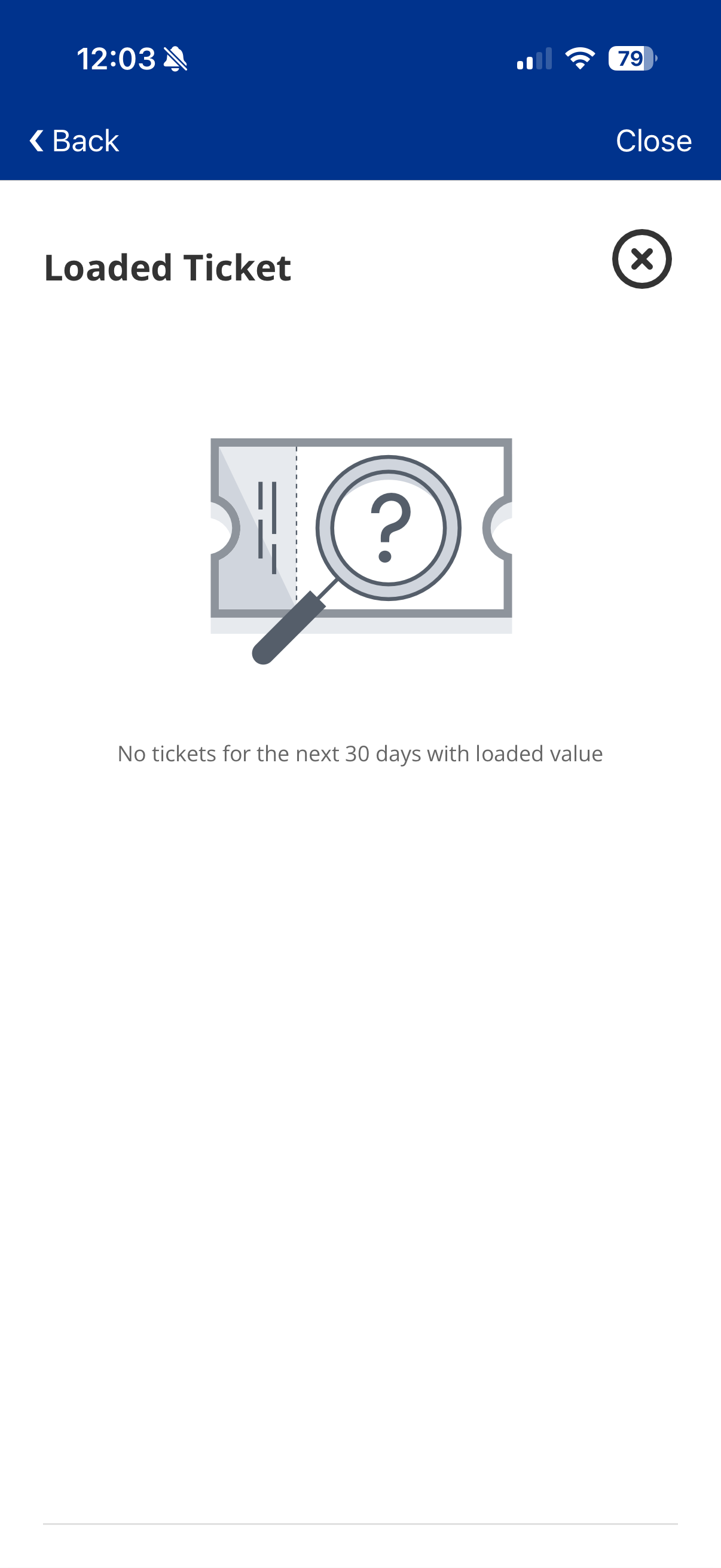
Click "Loaded Ticket".
Step 2
View all loaded tickets.
My Badge
Step 1
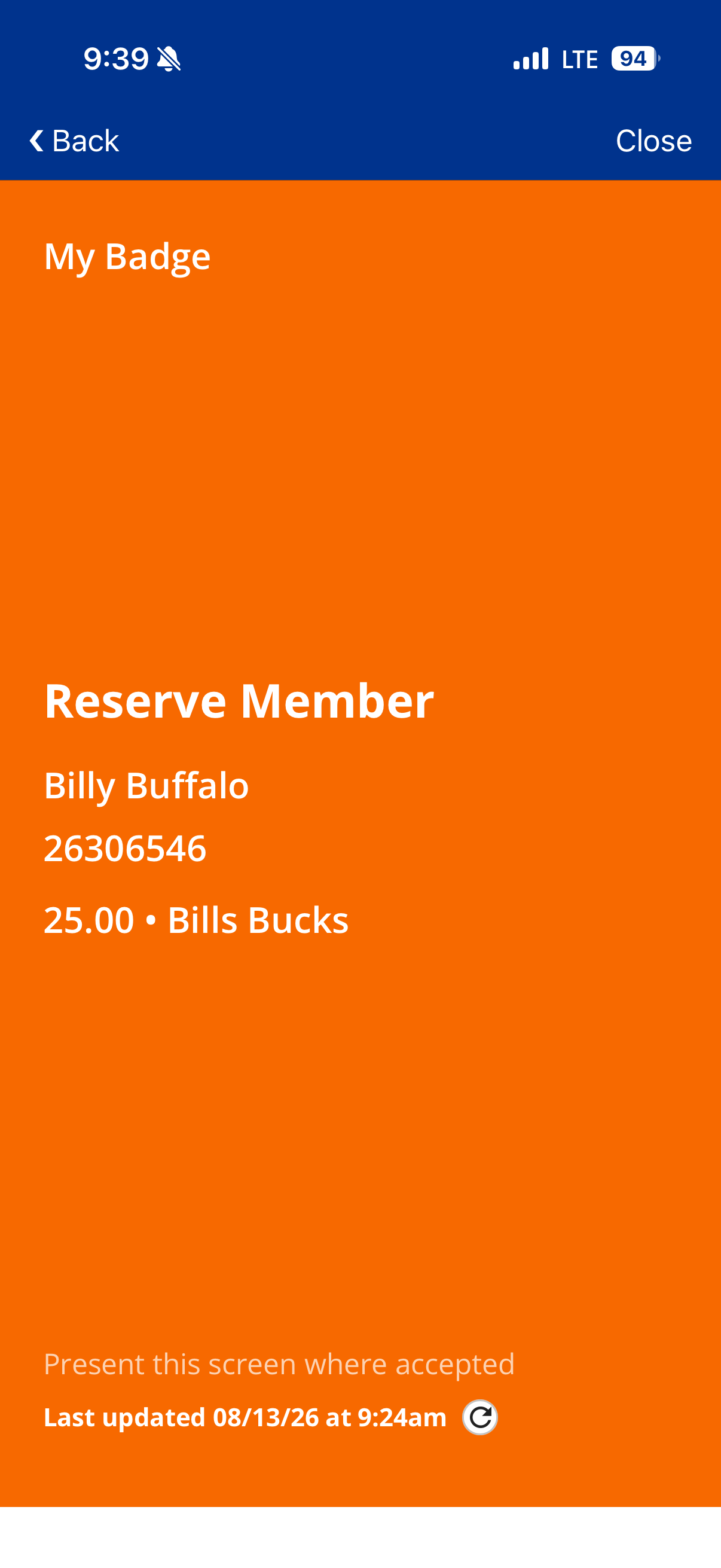
Click "My Badge".
Step 2
View your account attributes.
My Info
Step 1
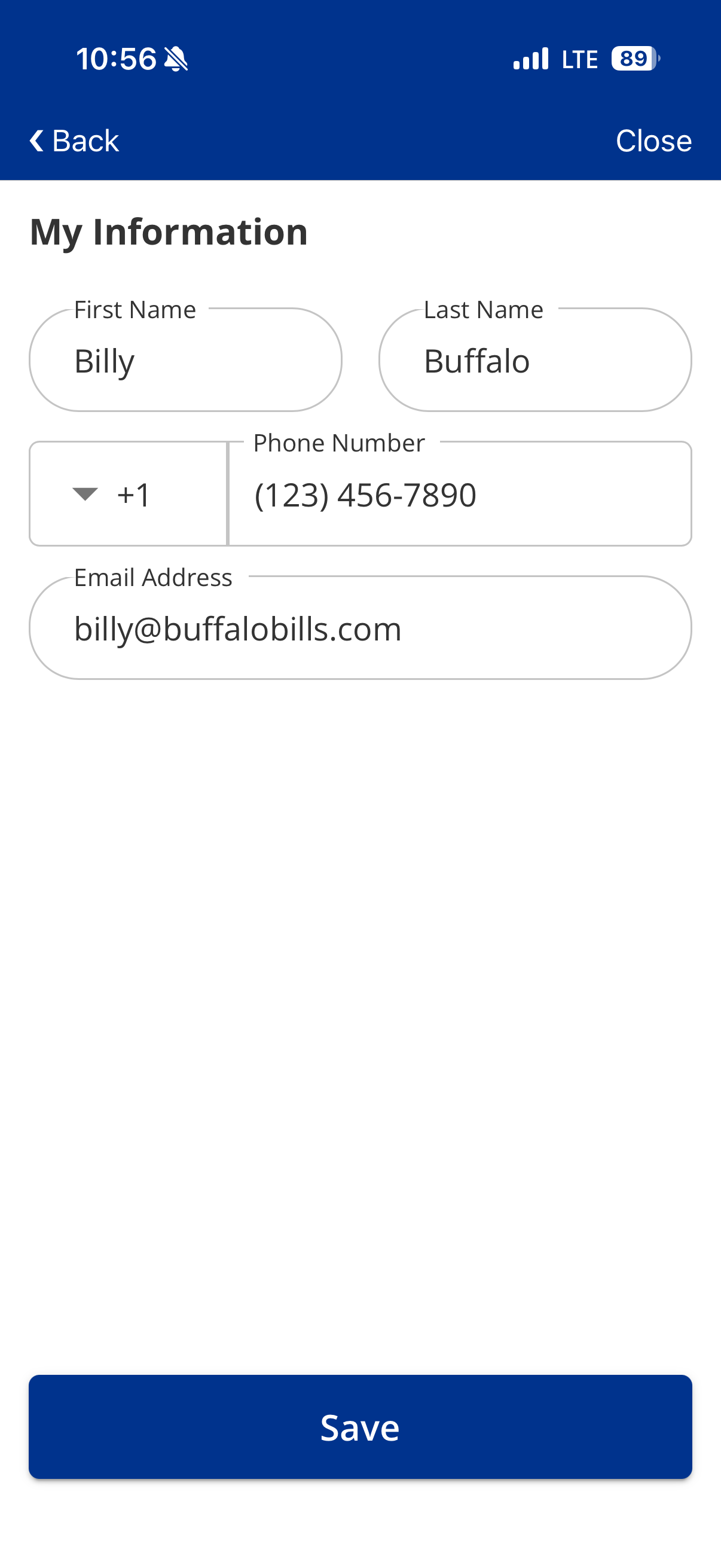
Click "My Info".
Step 2
View and manage your account information.
Report an Issue
Step 1
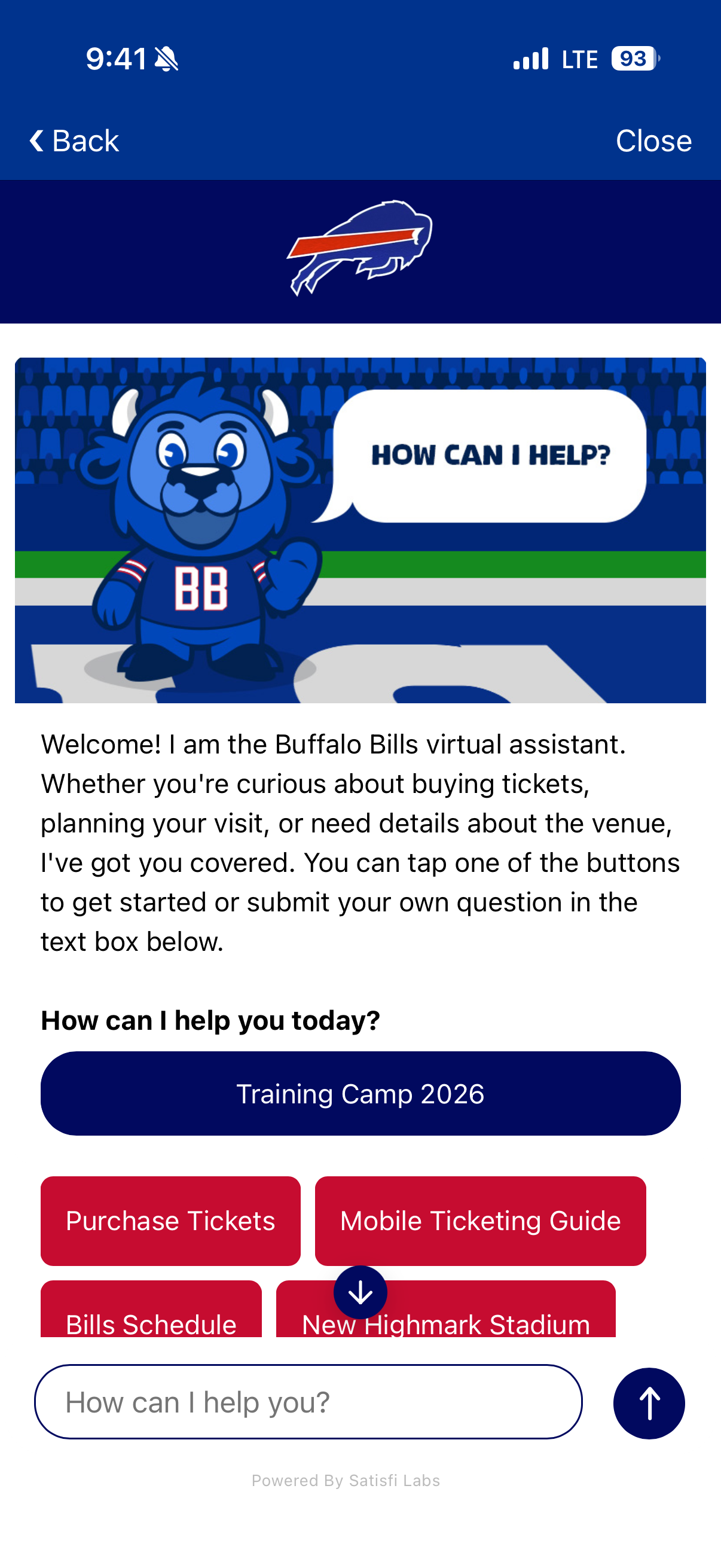
Something wrong? Click the "Report an Issue" button at the bottom!
Step 2
Use our Live Chat to help troubleshoot your issue.
What is Bills Wallet?
Bills Wallet is a wallet experience within the Bills Mobile App that helps eligible fans access Bills Bucks, benefits, discounts and other wallet-related features.
Do I need the latest version of the Bills Mobile App?
Yes. Start by downloading or updating to the latest version of the Bills Mobile App so the newest wallet features are available.
What login should I use?
Log in with the Ticketmaster credentials connected to your Bills account. If you have multiple Ticketmaster accounts, use the one tied to your eligible tickets or benefits.
Why do I need to log in with Ticketmaster?
The wallet is connected to account information and ticket-related affiliations, so logging in helps the app display the correct wallet experience for your account.
Where can I find Bills Wallet in the app?
After logging in, look for the Bills Wallet tile on the home screen or under the more menu.
What is My Badge?
My Badge is a way to display your information and prove you are a member of a certain affiliation (i.e. Reserve Member, 716 Club Member, etc.). Clicking on the badge changes the color to prove that it is authentic.
How do I use my season ticket member merchandise discount at The Bills Store?
Any in-person merchandise discounts are orchestrated through the Bills Wallet. To use the season ticket member 15% merchandise discount, when checking out at one of the self-service kiosks at The Bills Store, click Bills Wallet on payment method screen and scan your Bills Wallet QR Code. You can also use your Bills Bucks here by checking the box that says "Pay with VenueNext." You will then complete your transaction by paying for the remainder of your cart with another means of payment. If your Bills Bucks balance can cover the full transaction, then you are good to go after receiving the order completion screen.
How do I use my Bills Bucks at The Bills Store?
The Bills Wallet is available to use at all locations of The Bills Store in venue as well as The Bills Store on Abbot Road. When checking out at the self-service kiosk, click "Bills Wallet" as the payment method. A screen will pop up saying "Pay with VenueNext." VenueNext is the legacy name for the technology that supports the Bills Wallet and is synonymous with using your Bills Bucks. Check the box "Pay using VenueNext" if you would like to apply your Bills Bucks to the transaction. Then click the button "VenueNext Pay" and the amount will be charged to your Bills Wallet. If you do not have enough Bills Bucks to cover your transaction, you will then provide another means of payment. If you are a season ticket member, your discount should also show as being applied during the transaction and should not require a second scan.
What are Bills Bucks?
Bills Bucks are eligible loaded value or virtual currency that may appear in your Bills Wallet when assigned to your account. All season ticket members receive a 2% rebate of their net season ticket cost in Bills Bucks that can be used for concessions or merchandise purchases at Highmark Stadium (max limit of $500 in Bills Bucks per account).
Do Bills Bucks expire?
Yes – when Bills Bucks are credited into your account, you can see the associated expiration date under the Balance History button on the main wallet page. Expiration dates may vary, and all outstanding Bills Bucks will expire on March 31st of every year.
I have Bills Bucks that expire on different dates, which ones are used first?
The Bills Bucks with the earliest expiration date are used first when applying Bills Bucks to purchases.
Where can I use Bills Wallet?
Bills Wallet may be used at participating stadium locations where wallet redemption is supported. Availability may vary by location and event.
Can I transfer my Bills Bucks?
Only Bills Bucks tied to Loge seats can be transferred. This is done by transferring the ticket associated to the Loge seat to whomever you would like to receive the Bills Bucks. If any portion of the Bills Bucks tied to a Loge seat has been used, then the value will not transfer with the ticket. We do not currently support Bills Bucks being transferred through any other method.
Can I disable my Bills Bucks to use them for later?
Yes – to disable the use of Bills Bucks, navigate to the Payments section of your Bills Wallet and deselect the toggle in the top right where it says "Bills Bucks will be applied to this purchase." After deselecting, any transactions using the Bills Wallet will use your credit or debit card if one is added, or only apply your discounts and coupons to your transactions if a credit or debit card is not added. Please note all outstanding Bills Bucks will expire on March 31st each season they are issued.
Do I need to add a credit or debit card?
A credit or debit card is needed to use the mobile wallet at the walk-through autonomous concessions gates. A stored credit or debit card may help with faster payment where supported, but some wallet benefits or redemptions may be available without adding a card. Follow the instructions shown in the app.
I sit in Loge, how do my loaded value tickets work?
For those with seats in Loge, the $50 per ticket value will be automatically loaded from your ticket to your Bills Bucks balance approximately 24 hours before the start of the event. If the ticket is transferred, the value will be transferred with the ticket, unless any portion of the Bills Bucks have been used by the original ticket holder. Please give 10 to 15 minutes for the value to populate into the transferee's account. You can also manually load the ticket value ahead of time using the Load Value tile on the wallet, but it will still only be usable on the day of the event. Please note, all Bills Bucks associated with the loaded value will expire after the completion of the event regardless of whether or not it has been used.
What if my balance or benefit looks incorrect?
First, confirm you are logged in with the correct Ticketmaster account. If the issue continues, contact your Bills representative or Bills customer support for help.
Can someone else use my Bills Wallet?
Bills Wallet is tied to the account used to log in. Do not share your login information. If you transfer tickets or benefits, follow the instructions provided through your official Bills or Ticketmaster account tools.
How do I use the Bills Wallet for the Responsible Fan Program?
If you sign up for the Responsible Fan Program using the email tied to your Ticketmaster account, within 15 minutes of completion, you will see a coupon in the Benefits & Rewards section titled "Responsible Fan Discount." This coupon is only usable once per game and will still show in the Benefits & Rewards tab even if it has already been redeemed.
Why was I charged $30 when I had enough Bills Bucks to cover my entire purchase?
Certain concessions stands preauthorize $30 per transaction to validate the attached credit or debit card. If your Bills Bucks balance was enough to cover the entire purchase and they were enabled, you should see this charge fall off your credit card statement in the next few weeks.
Will Bills Wallet replace mobile tickets?
Bills Wallet is intended to support wallet benefits and related features. Continue to use your official Bills ticketing flow for mobile ticket access unless instructed otherwise in the app.
Can I add my Bills Wallet to my Apple / Google Wallet?
Yes – you should see an icon on the Bills Bucks QR page that allows you to add the pass to your Apple or Google Wallet. Please note that the fullest functionality for the wallet will be in the Bills Mobile App. Additionally, Bills Wallet can only be added to one phone and not multiple phones.
Who should I contact if I need help?
If you are unable to access Bills Wallet, cannot log in or do not see your expected benefits, contact your Bills representative or Bills customer support.